Do you access sites and apps on mobile? Set up IronVest password manager on mobile... ͏ ͏ ͏ ͏ ͏ ͏ ͏ ͏ ͏ ͏ ͏ ͏ ͏ ͏ ͏ ͏ ͏ ͏ ͏ ͏ ͏ ͏ ͏ ͏ ͏ ͏ ͏ ͏ ͏ ͏ ͏ ͏ ͏ ͏ ͏ ͏ ͏ ͏ ͏ ͏ ͏ ͏ ͏ ͏ ͏ ͏ ͏ ͏ ͏ ͏
Securely autofill on mobile apps and websites |
|
|
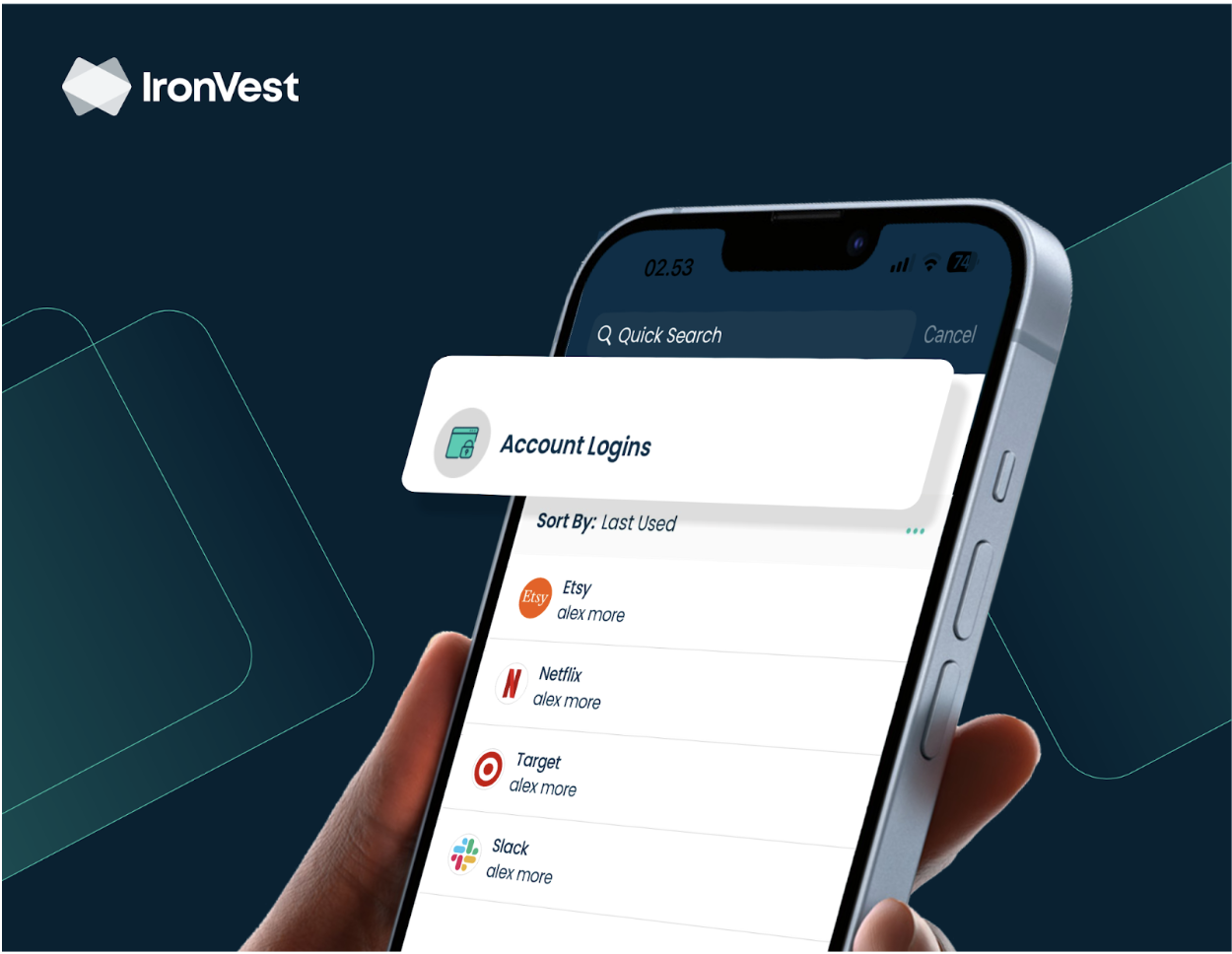
Hey IronVester, If you're not using IronVest on mobile, you're really missing out on one of the more convenient features available to you.
3 easy steps to autofill on mobile apps and websites ✅ Install the mobile app
✅ Make it your default password manager on your phone
✅ Generate, save and autofill strong passwords in mobile apps and websites |
|
|
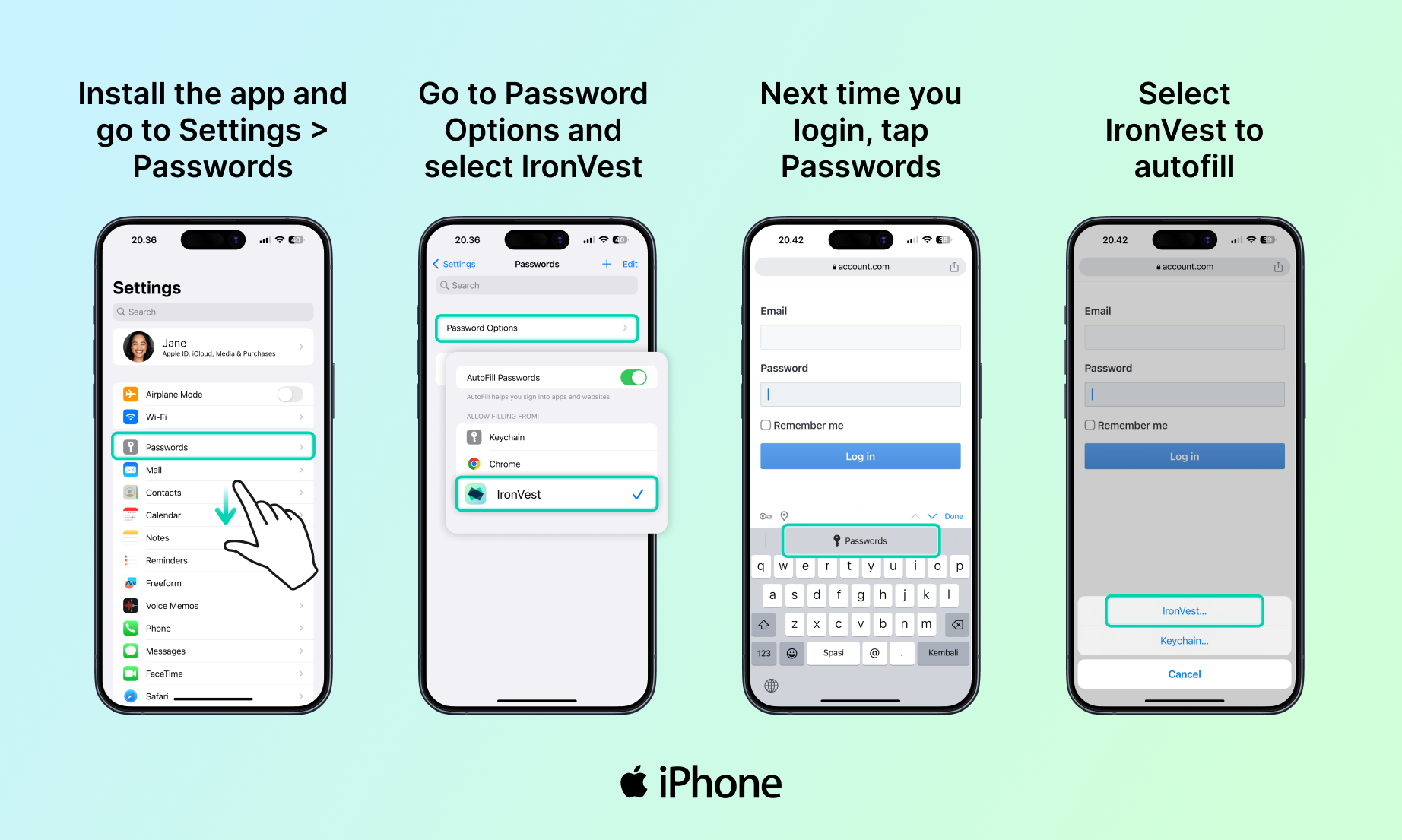
Here's how to set up IronVest Autofill on your Apple iPhone
|
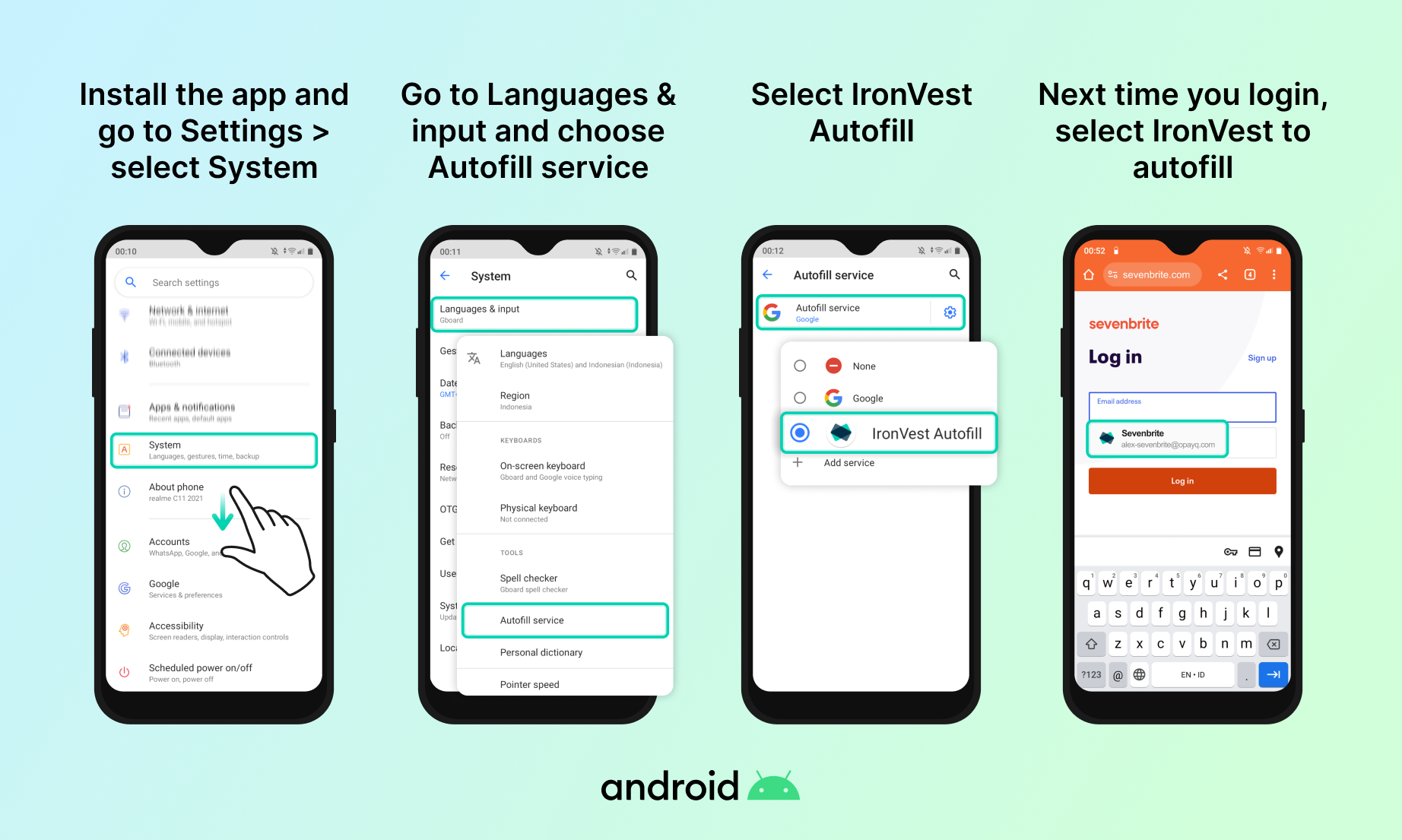
Here's how to set up IronVest Autofill on your Android |
To sync your passwords and data across devices, you'll need an IronVest Plus or Ultimate plan. Upgrade your account today and get 3 months free on any annual premium plan with promo code MOBILE25.
Stay secure, stay private.
~ The IronVest Team |
|
|
©2023 IronVest Inc 228 Park Ave S, Suite 97601 New York NY 10003 |
The email was sent to sadiposip@gmail.com. To no longer receive these emails, unsubscribe here.
*This offer is active until 10/15/2023 for IronVest Plus or IronVest Ultimate annual plans only and cannot be used for IronVest Business products, combined with other offers or discounts, or applied to prior purchases.
|
|
|
|